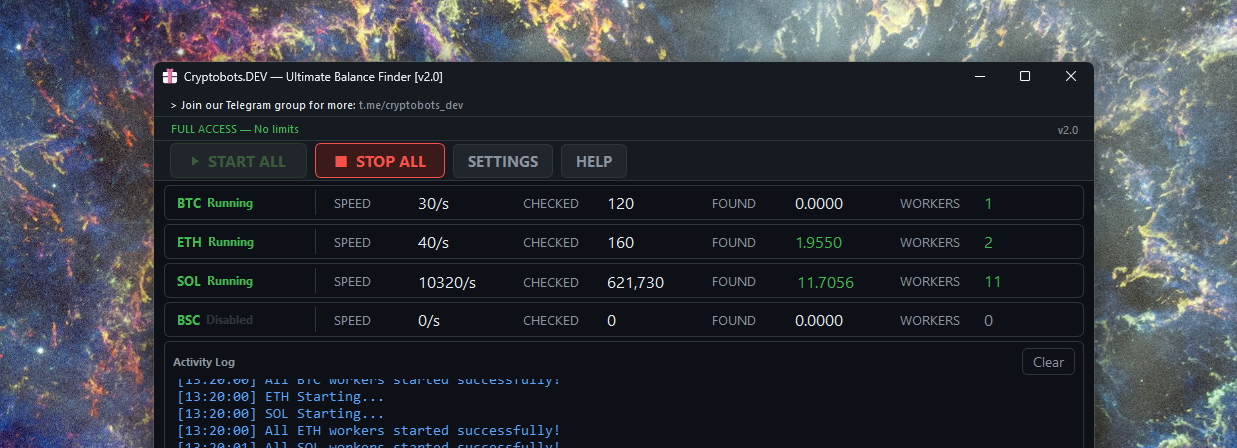
ULTIMATE BALANCE FINDER [STARTERS GUIDE]
This tool generates random private keys and checks their balances across BTC, ETH, SOL and BSC simultaneously. Found wallets are saved to found_wallets.txt next to the app. For full configuration details, open SETTINGS → [?].
Use these tools for educational purposes or for your own wallet recovery only. If anyone uses these to brute force wallets that are not theirs, this is not Cryptobots.DEV responsibility. Stealing other people crypto is considered a crime and is illegal. By downloading and using our tools you agree to comply to this.
Download latest version: https://cryptobots.dev/files/ultimate_balance_finder.zip
Quick Start
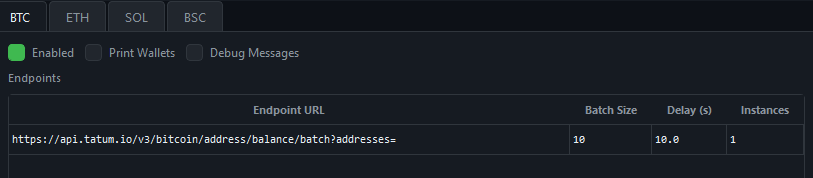
- Get API keys for the chains you want to scan (make multiple free accounts for more keys).
- BTC example endpoints:
- SOL example endpoints:
- ETH example endpoints:
- Open SETTINGS, enable each chain, paste your keys, and click Save Config.
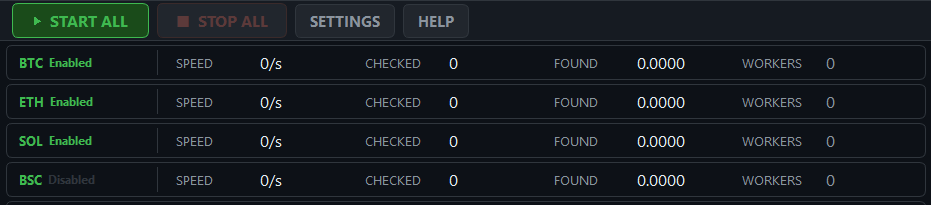
- Click START ALL to begin scanning all enabled chains in parallel.
Individual chains can also be started with their own ▶ button. - Monitor live stats (wallets checked, speed, workers) in the chain panels.
- Any funded wallet found is logged and written to
found_wallets.txtautomatically.

Maximising Speed
Speed per endpoint ≈ Batch Size × Instances ÷ Delay wallets/second.

- Increase Batch Size to the maximum the API allows.
- Reduce Delay to the lowest value that avoids rate-limit errors.
- Add more Instances for paid SOL RPCs that support concurrent requests.
- Add more API keys (each free account gives extra keys) for BTC / ETH / BSC.
- Add more endpoint rows to distribute load across multiple providers.
Testing Mode
Enable Testing Mode in Settings for a chain to inject a known funded wallet into one batch per cycle. The API returns a non-zero balance, confirming your endpoint and API key are working correctly. Disable it once verified — it has no effect on real search results.

Settings — Every Field Reference

Each blockchain tab is configured independently. Changes across all tabs are saved together when you click Save Config. Settings persist to ultimate_config.json next to the app and are loaded automatically on startup.
Top Toggles
| Enabled | Includes this chain in START ALL. Uncheck to skip without losing config. If an endpoint fails at startup, this chain is automatically disabled while others continue. |
| Print Wallets | Logs every checked address to the Activity Log. Leave off in normal use — at high throughput it floods the log and degrades performance. Funded wallets are always printed regardless. |
| Debug Messages | Logs raw API requests, responses, and errors. Useful only for diagnosing endpoint or key issues. Leave off in normal use. |
Endpoints Table
Lists every configured endpoint for this chain. All rows run in parallel — adding more endpoints (even from new free accounts) scales speed linearly. Click a row to load it into the edit fields below.
| Endpoint URL | Full API or RPC URL. BTC: https://api.tatum.io/v3/bitcoin/address/balance/batch?addresses=ETH: https://api.etherscan.io/v2/api?chainid=1BSC: same Etherscan URL with chainid=56SOL: any JSON-RPC URL, e.g. https://solana-rpc.publicnode.com — for paid RPCs, include the API key in the URL itself. |
| Batch Size | Addresses packed into a single request. Larger = faster, but may hit endpoint limits. Check the provider docs, or raise the value until you see errors and back off. Typical values: 30 (BTC/Tatum), 100–1 000 (ETH/BSC/SOL). |
| Delay (s) | Wait between consecutive requests per worker thread. Keeps you within the provider’s rate limit. Free-tier APIs typically need 1.0 s; unlimited paid RPCs can use 0. Increase if you see blank responses or rate-limit errors. |
| Instances | Parallel worker threads for this endpoint. More instances = more throughput, proportionally more API usage. Use 1 for free/public endpoints. Increase for paid RPCs that support high concurrency — most useful with SOL. |
Endpoint Buttons
| Add | Adds the current field values as a new row in the table. |
| Update | Overwrites the selected row with the current field values. Select a row first. |
| Remove | Deletes the selected row from the table. Select a row first. |
API Keys
Paste one key per line. Keys are cycled in order; when one is exhausted or rate-limited the next is used. Adding more keys (create extra free accounts) extends uninterrupted runtime.
| BTC | one per free account. |
| ETH & BSC | up to three keys per account; same key works for both chains. |
| SOL | Not required for public endpoints. For paid RPCs, embed the key in the endpoint URL. Leave the API Keys field at its default (must not be blank). |
Testing Mode
| Testing Mode | Injects the Test Wallet into one batch per cycle so the API returns a non-zero balance, confirming the endpoint and key are working. Disable once verified. |
| Test Wallet | A known funded address used for the test injection. Pre-filled per chain. Replace with any address that has a confirmed on-chain balance. |
Config Buttons
| Load Config | Reads ultimate_config.json and repopulates all fields. |
| Reset to Defaults | Restores factory defaults in all fields. Does not save — click Save Config to persist. |
| Save Config | Writes all tabs to ultimate_config.json. Changes apply on the next START ALL. |
| Close | Unsaved changes are lost. Always Save Config before closing. |
Use this tool for educational purposes only. Accessing wallets that do not belong to you is illegal. Cryptobots.DEV accepts no responsibility for misuse.
/// To contact us on Telegram use the link below: